Two-way radio interop: channels, CTCSS and DCS
Two radios on "the same channel" can still fail to hear each other, often only in one direction. Here are the settings that have to match, what each one does, and how to set up a programmable radio so it talks to a fixed-channel PMR446 walkie-talkie.
Challenge
I have a Midland XT10 Pro (a PMR446 walkie-talkie) and a Baofeng UV-9R Plus (a programmable handheld). When I transmitted on the Midland, the Baofeng heard it. When I transmitted on the Baofeng, the Midland stayed silent.
The radios themselves were fine. The problem was one setting that didn't match, so this post covers all of the settings that have to match.
The rule: five things must agree
For two radios to talk both ways, they must agree on:
- Frequency, the channel itself.
- Squelch codes: what one radio sends (TX code) must be what the other requires (RX code). These are CTCSS or DCS.
- Bandwidth, narrow (12.5 kHz) or wide (25 kHz).
- No transmit offset: both on simplex, not repeater mode.
- Nothing that alters the audio, such as a scrambler.
Fixed-channel radios (PMR446, FRS, toy walkie-talkies) set all of these for you. Programmable radios like the Baofeng make you set each one yourself, so when a mixed pair doesn't work, the problem is almost always on the programmable side.
1. Frequency: the PMR446 channels
PMR446 channels are 12.5 kHz apart, starting at 446.00625 MHz. Channels 1–8 are the original set; 9–16 were added in 2016, so older radios may only have 1–8.
| Ch | MHz | Ch | MHz |
|---|---|---|---|
| 1 | 446.00625 | 9 | 446.10625 |
| 2 | 446.01875 | 10 | 446.11875 |
| 3 | 446.03125 | 11 | 446.13125 |
| 4 | 446.04375 | 12 | 446.14375 |
| 5 | 446.05625 | 13 | 446.15625 |
| 6 | 446.06875 | 14 | 446.16875 |
| 7 | 446.08125 | 15 | 446.18125 |
| 8 | 446.09375 | 16 | 446.19375 |
Frequency step
These frequencies end in ...0625 and ...1875, which needs a 6.25 kHz (or 2.5 kHz) tuning step. On a 12.5 or 25 kHz step a programmable radio may round 446.00625 to 446.000 without telling you.
2. Squelch codes: CTCSS and DCS
These are sold as "privacy codes", but they aren't private. Anyone on the channel with the code turned off still hears you. A code is a squelch key: the receiving radio stays muted unless it hears the matching code in the signal.
- CTCSS is a continuous low tone below the voice range, 67.0 to 250.3 Hz.
- DCS is a repeating digital pattern, written like
D023N. The N or I is the polarity (normal or inverted).
A radio set to CTCSS can't open on a DCS code, and the other way round. They are two different systems.
Every radio has a TX code (what it sends) and an RX code (what it needs to hear before it opens). A PMR446 radio sets both with one code number. A programmable radio sets them separately, so it's easy to end up with a radio that hears everyone (RX off) but sends a code the other radio doesn't expect. That gives you exactly the one-way problem I had.
CTCSS code numbers
PMR446 radios show a code number, not the tone. Most use the standard order below for codes 1–38. Check your radio's manual, as a few brands differ.
| 1 = 67.0 | 2 = 71.9 | 3 = 74.4 | 4 = 77.0 | 5 = 79.7 |
| 6 = 82.5 | 7 = 85.4 | 8 = 88.5 | 9 = 91.5 | 10 = 94.8 |
| 11 = 97.4 | 12 = 100.0 | 13 = 103.5 | 14 = 107.2 | 15 = 110.9 |
| 16 = 114.8 | 17 = 118.8 | 18 = 123.0 | 19 = 127.3 | 20 = 131.8 |
| 21 = 136.5 | 22 = 141.3 | 23 = 146.2 | 24 = 151.4 | 25 = 156.7 |
| 26 = 162.2 | 27 = 167.9 | 28 = 173.8 | 29 = 179.9 | 30 = 186.2 |
| 31 = 192.8 | 32 = 203.5 | 33 = 210.7 | 34 = 218.1 | 35 = 225.7 |
| 36 = 233.6 | 37 = 241.8 | 38 = 250.3 |
Set the tone by Hz, not by list position
Programmable radios usually list 50 CTCSS tones, including extras like 69.3 and 159.8 Hz. Their 12th entry is therefore not the walkie-talkie's code 12. Always pick the tone by its Hz value.
3. The other settings
- Bandwidth. PMR446 is narrow (12.5 kHz). A wide radio still gets through, but it sounds loud and distorted on the narrow radio, and the narrow radio sounds quiet on the wide one.
- Offset / shift. It must be off. With an offset, the radio listens on one frequency and transmits on another, which is meant for repeaters. That's the other classic cause of one-way audio.
- Dual watch. Many programmable radios show two frequencies and can receive on one while transmitting on the other. Turn it off while setting up.
- Scrambler. Off. The other radio would hear garble.
- Power. Use low. More power doesn't fix a mismatched code, and at close range it can overload the other receiver.
- Busy channel lockout. Off while testing, or the radio may refuse to transmit.
4. Recipe: programmable radio to PMR446
- Note what the PMR446 radio shows: the channel and the code number. No code means "open".
- On the programmable radio, switch to frequency (VFO) mode, turn dual watch off and set the step to 6.25 kHz.
- Enter the channel's frequency from the table above.
- Set offset off, bandwidth narrow, power low and scrambler off.
- Set the TX CTCSS to the Hz value of the PMR446 code. Make sure TX DCS is off.
- Set the RX CTCSS to the same tone, or leave it off to hear everyone on the channel.
- Test in both directions, then save it to a memory channel. Or program all 16 channels at once with CHIRP.
Worked example: Midland XT10 Pro and Baofeng UV-9R Plus
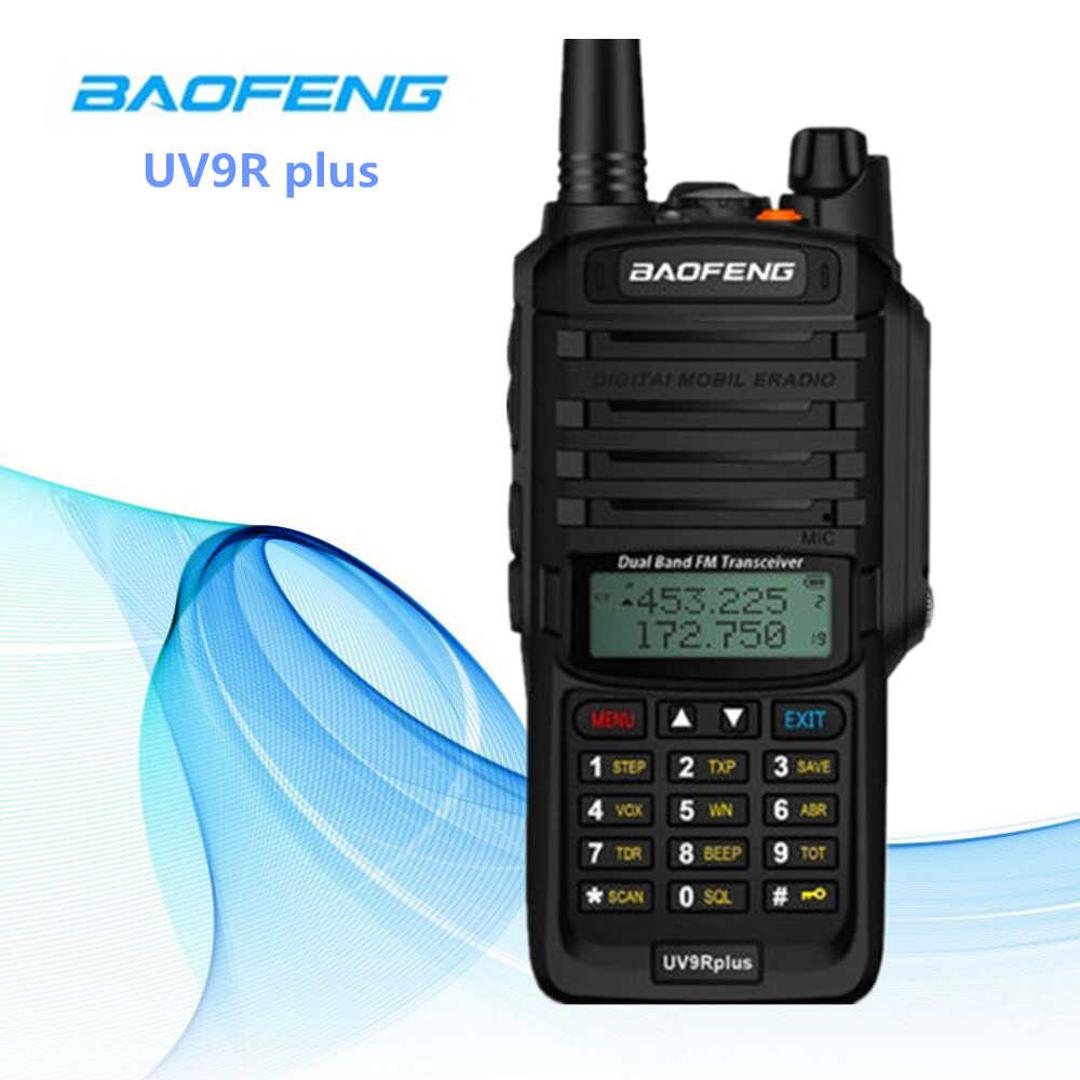
| Midland XT10 Pro | Baofeng UV-9R Plus | |
|---|---|---|
| Type | PMR446, fixed channels | Programmable dual-band VHF/UHF handheld |
| Frequencies | Only the PMR446 channels | Anything in range, typed in or stored |
| Power | 0.5 W, fixed antenna | Low or high (several watts), removable antenna |
| Bandwidth | Narrow only | Wide or narrow |
| Codes | CTCSS 1–38 only, no DCS | CTCSS and DCS, set separately for TX and RX |
The Baofeng had T-DCS set to D023N. The Midland only does CTCSS, so it never recognised the Baofeng's signal and stayed muted. The Baofeng's RX code was off, so it heard the Midland fine.
The fix was to turn the Baofeng's DCS settings off. These are the UV-9R Plus menu numbers (press MENU, then the number):
| Menu | Name | Setting |
|---|---|---|
| 1 | STEP |
6.25K |
| 2 | TXP |
LOW |
| 5 | WN |
NARR |
| 7 | TDR |
OFF |
| 10 | R-DCS |
OFF |
| 11 | R-CTCS |
Same tone as T-CTCS, or OFF |
| 12 | T-DCS |
OFF |
| 13 | T-CTCS |
Hz value of the Midland's code (or OFF if the Midland has no code) |
| 23 | BCL |
OFF |
| 25 | SFT-D |
OFF |
| 26 | OFFSET |
00.000 |
The Baofeng also had an offset set (a + or – next to the frequency). Its frequency jumped when PTT was released, and pressing * (reverse) swapped TX and RX. Setting SFT-D off and OFFSET to zero cleared it. If the shift is saved in a memory channel, menus 25 and 26 won't override it: switch to frequency mode (VFO/MR), set it up there, then delete the old channel (menu 28) and save it again (menu 27).
After that, the two radios talked both ways.
A note on licensing in South Africa
PMR446 radios (0.5 W, fixed antenna) are the licence-free kind. A Baofeng isn't a PMR446 radio. It's higher power, has a removable antenna and isn't type-approved for PMR446, so under ICASA rules it belongs on the amateur bands with an amateur licence, or on a licensed business channel. Transmitting with it on PMR446 frequencies, even on low power, is outside the licence exemption. Check ICASA's current regulations before you transmit.
Takeaways
- "Same channel" means five things must match: frequency, codes, bandwidth, no offset and no scrambler.
- If audio only works one way, look at the TX code on the radio that isn't being heard.
- CTCSS and DCS are different systems. A CTCSS-only radio will never open for a DCS signal.
- Set tones by Hz, never by list position.